What is each one good at?
| Situation | Short URL | QR code |
|---|---|---|
| Reader is moving or driving | Works if memorable | Fails |
| Reader is standing at the print | Works | Works better |
| Long destination with parameters | Poor | Good |
| Reader has no free hand | Works later | Fails |
| Reader distrusts scanning | Works | Fails |
| Printed very small | Works | Often fails |
| Needs to be changed after printing | Works with a redirect | Works with a redirect |
The row that decides most cases is the first one. If the reader is in motion, print an address. If they are standing still, print a code and an address.
What makes a printed address memorable?
The test is whether someone can hold it in their head from the sidewalk to their desk. That means short, pronounceable and free of anything that has to be spelled out.
- Use your own domain, so the brand and the address reinforce each other.
- Use one word after the slash, ideally a word the reader would guess.
- Avoid hyphens, underscores, mixed case and numbers that sound like words.
- Avoid campaign parameters entirely in print.
- Drop the protocol and the www, because nobody types them.
- Say it out loud: if it needs explanation, it is too long.
Something like yourbrand.com/menu passes. A twelve character random string from a third party shortener does not, and it also removes the recognizable domain that consumers are advised to look for before opening a link.
Why print both?
Because the failure modes do not overlap. A code fails on glare, low light, an old camera or a reader who will not scan a code from a stranger. An address fails on length and on people who cannot be bothered to type. Printing both costs a line of type.
The FTC advises consumers to check that a QR code destination looks like a URL they recognize before opening it. Printing the address beside the code is what makes that possible, and it also reassures the substantial group of people who have read about fraudulent codes placed over real ones.
Set the address at a size someone can read at the same distance they would scan from. An address printed at 6 point beneath a code is decoration, not a fallback.
How do you choose when there is only room for one?
Ask what the reader is doing at the moment they meet the print.
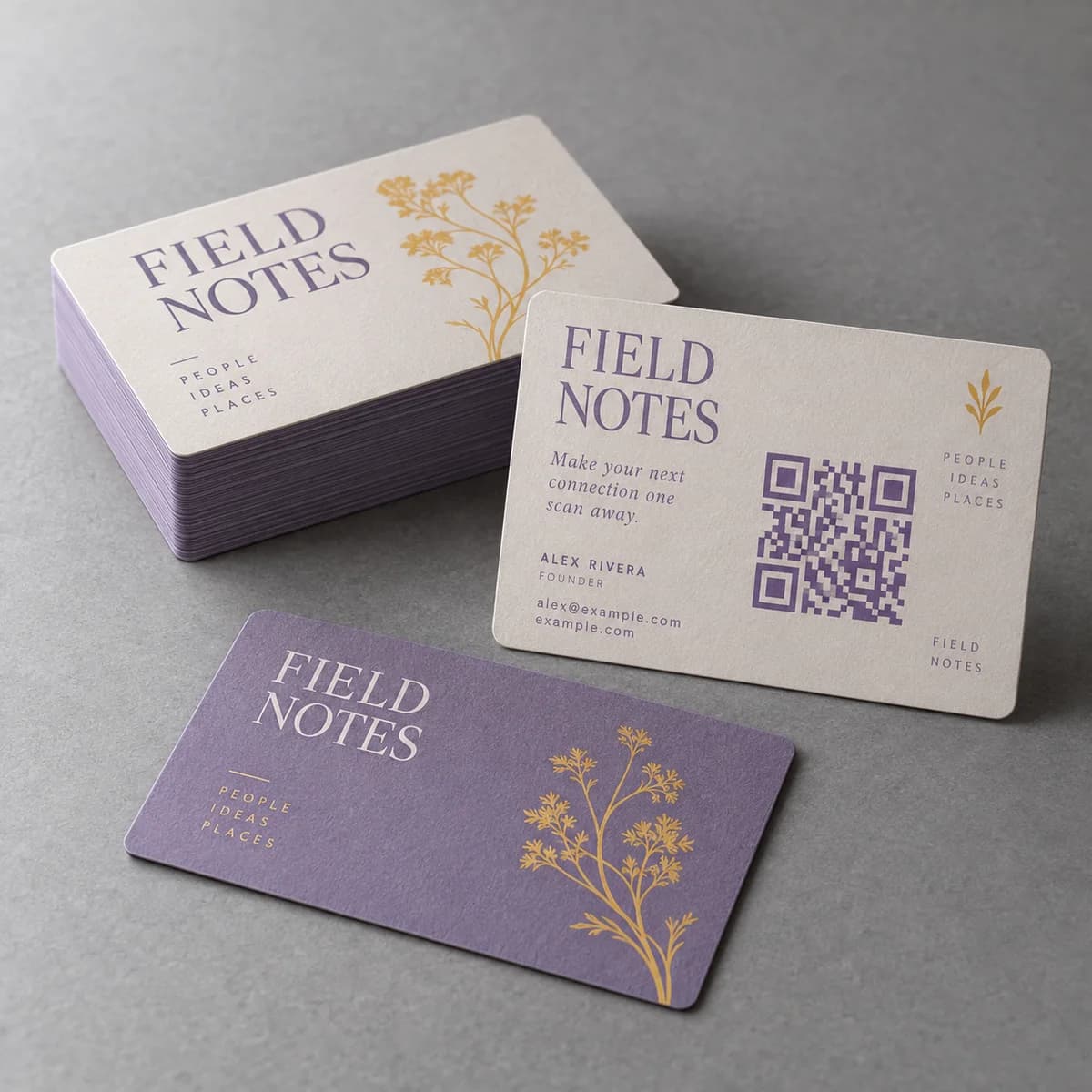
On a vehicle, a yard sign, an A frame read from across a road or anything seen in motion, print the address. On a menu, a table tent, a counter card, a packaging panel or an exhibition banner, print the code and squeeze the address in somewhere. On a business card, print both, because the card is read twice: once in the moment and once at a desk.
There is one clear case for a code alone: when the destination genuinely cannot be shortened, such as a long booking or registration form on a third party platform. Even then, a short redirect on your own domain usually solves it better.
Does a short link help the code too?
Yes, and this is the most practical argument for using one. The amount of data encoded drives the module count of the symbol. A shorter string means fewer modules, which means larger modules at the same printed size, which means a more reliable scan.
So a short path on your own domain improves both routes at once: it is easier to type and it produces a smaller, tougher code. Keep campaign parameters off the printed string and add them at the redirect instead, as covered in the guide to UTM links for print campaigns.
What about tracking?
Both routes can be counted the same way, because both end at a URL you control. A unique path on your own domain lets your normal analytics separate that traffic, and a redirect lets you change the destination after printing.
Be realistic about attribution. Some people will read the address, not type it, and search your brand name later instead. That result belongs to the print, but analytics will record it as search. Ask new inquiries how they found you so the numbers have context.
What is the short URL and code checklist?
- Decide what the reader is doing at the moment they see the print.
- Print an address alone where the reader is moving.
- Print both where the reader is standing still.
- Keep the address on your own domain, one guessable word after the slash.
- Set the address large enough to read at scanning distance.
- Keep parameters out of the printed string and add them at the redirect.
- Test the code printed at final size and type the address yourself on a phone.
Frequently asked questions
Should I print a QR code or a web address?
Both, in most cases. A code suits a reader standing in front of the print with a free hand; a written address suits a reader who is moving, has no free hand, or prefers not to scan. The only common case for a code alone is a destination that genuinely cannot be shortened, and even then a redirect usually solves it.
What makes a printed short URL easy to remember?
Your own domain plus one short, guessable word after the slash, with no hyphens, underscores, mixed case or campaign parameters. Drop the protocol and the www. Say it out loud: if it needs spelling out or explaining, it will not survive the walk from the sign to a keyboard.
Are third party link shorteners a problem in print?
They remove the one thing that reassures a reader, which is a recognizable domain. Consumer guidance on QR safety is to check that the destination looks like a URL you recognize, and a random string on an unfamiliar domain gives no basis for that. A short path on your own domain is both safer looking and easier to type.
Does using a short link improve the QR code itself?
Yes. The amount of data encoded determines how many modules the symbol has, so a shorter string produces fewer, larger modules at the same printed size. Larger modules are easier for a camera to resolve and more tolerant of ink spread, glare and slight blur.
Sources & specification notes
The references below support the relevant technical or product details in this guide. Examples and checklists are not claims of practical testing or universal supplier requirements. Confirm the current specifications for your chosen product before production.
- FTC Consumer Alert: Scammers hide harmful links in QR codes ↗
Advises consumers to check that a QR destination looks like a URL they recognize, which supports printing the address beside the code and using your own domain.
- DENSO WAVE: How to create a QR Code, margin and cell size ↗
Shows how encoded data length and symbol version drive module size, supporting the point that shorter links make more reliable codes.