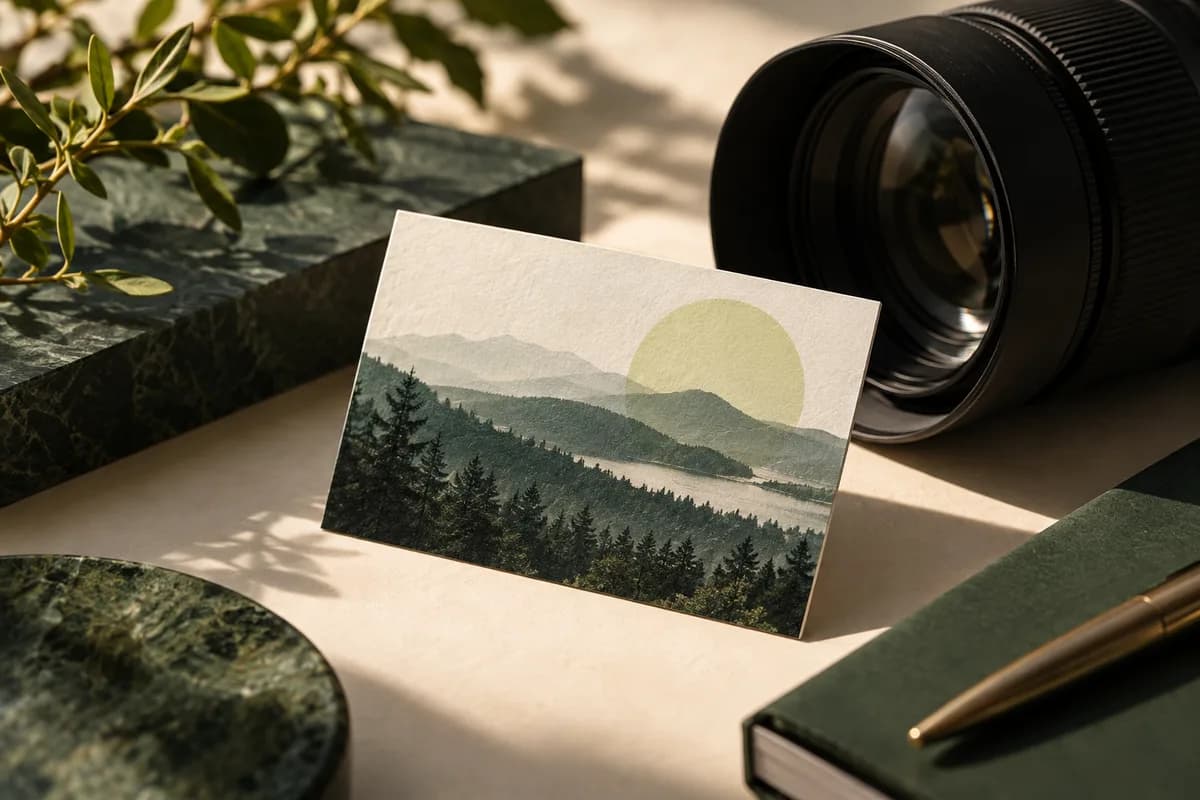
What should a photographer put on a business card?
Start with the four things a recipient needs: your name or studio name, the kind of photography you sell, one preferred contact route and a place to see more work. A wedding photographer, a product photographer and a headshot photographer attract different clients, so the specialty line should name the work you actually want to book.
A second contact route helps when people prefer email to phone. Social handles are optional. Listing five of them forces smaller type and splits attention, so choose the one that shows the most current work. The guide to what to put on a business card walks through the same edit for any profession.
Which photo should go on the card?
Choose one image that represents the service and style you are selling, not the most dramatic frame you have ever made. If the card shows a moody editorial portrait but most of your bookings are bright family sessions, the card sets the wrong expectation before the first message.
Check who owns the image before you print it. The U.S. Copyright Office explains that the author and initial copyright owner of a photograph is generally the person who takes it, with a limited exception for works made for hire. If a client commissioned the shoot under a contract, read the usage terms, and get permission from anyone identifiable in the frame.
What resolution does a photo need for a business card?
Aim for 300 pixels per inch at final size. Export from the original file, not from a social media copy, because platforms compress and downsize uploads. The table shows the pixel sizes for common card formats.
| Card format | Trim size | Pixels at 300 PPI | With 0.125 inch bleed |
|---|---|---|---|
| Standard horizontal | 3.5 x 2 in | 1,050 x 600 | 1,125 x 675 |
| Standard vertical | 2 x 3.5 in | 600 x 1,050 | 675 x 1,125 |
| Square | 2.5 x 2.5 in | 750 x 750 | 825 x 825 |
The free print resolution calculator checks the effective PPI of an existing photo at any print size, which is useful after a tight crop.
How do you crop a photo for a 3.5 x 2 inch card?
A 3.5 x 2 card has a 7:4 ratio, which is wider than the 3:2 frame most interchangeable lens cameras produce and much wider than the 4:3 frame many phones use. A full frame image loses some of its height, so decide which part must survive. Keep faces, eyes and product details well inside the safe area, because trimming can shift slightly on any cutting run. Extend the background to the bleed edge so no white sliver appears after the cut.
The photo crop tool previews fit versus fill for a given size, and it shows how much of the frame the card format removes.
Should the photo and contact details share one side?
Usually not. Small contact text laid over a busy photograph is hard to read. The W3C contrast guidance asks for a ratio of at least 4.5 to 1 for normal text, and a patterned image rarely gives that across every letter. A cleaner approach puts the photo full bleed on one side and the name, specialty, contact route and URL on a calm background on the other.
If you want both on one side, place the text on a solid panel or an area of even tone, and print a proof to check it at arm's length. Watch small white text on light skies or pale walls, which often looks fine on a bright screen and fades on paper. Screens show color with light behind it, while paper only reflects the light in the room, so a printed proof is the only reliable check.
Which paper shows photographs best?
Glossy stock makes saturated color and deep shadows look brighter, which suits vivid travel, food and product work. Matte stock reduces glare and suits soft portraits, film looks and cards people will handle often. Uncoated stock is easy to write on but mutes color and fine shadow detail.
| Stock | How photos look | Best fit |
|---|---|---|
| Glossy | Brighter color, stronger contrast, some glare | Food, travel, product |
| Matte | Softer, little glare | Portraits, weddings, film looks |
| Uncoated | Muted color, natural feel | Cards with handwritten notes |
| Soft touch or pearl | Premium feel, subtle sheen | Luxury and boutique studios |
The fastest way to decide is to hold your own image on the real paper. A business card sample kit costs $1 and includes 16 printed samples across papers, finishes and shapes.
Where should the card send people?
Send them to a page that matches the photo. If the card shows portraits, link to a portrait gallery with an inquiry form, not a homepage that mixes every genre. Keep that page fast on mobile, because many people will open it on a phone right after meeting you.
A QR code works well if you print a readable short URL beside it and test the scan at final size. Give the code a four module quiet zone on every side, as DENSO WAVE specifies, and keep it off busy parts of the image.
Checklist before you order
- Choose one image that represents the bookings you want.
- Confirm you have the right to publish the photo and any release you need.
- Export at 300 PPI from the original file, with bleed.
- Keep faces and key details inside the safe area.
- Put contact text on a calm background with strong contrast.
- Proof the actual photo on the stock you plan to buy.
- Link to a portfolio page that matches the card.
Standard business cards start at $14.99 for 100 and come in matte, glossy, uncoated and premium stocks, with front only or double sided printing.
Frequently asked questions
What size should a photo be for a business card?
For a standard 3.5 x 2 inch card, export the photo at 1,050 x 600 pixels, which is 300 pixels per inch at trim. With 0.125 inch bleed on each side, the file becomes 1,125 x 675 pixels. Export from the original camera or editing file, because social media copies are usually compressed and too small.
Should photographers use glossy or matte business cards?
Glossy stock makes saturated color and deep shadows look brighter, so it suits food, travel and product work. Matte stock reduces glare and suits portraits, weddings and softer edits. The most reliable way to choose is to see your own image printed on both papers, for example with a sample kit, before ordering a full run.
Can I use a client photo on my business card?
The photographer is generally the author and first copyright owner of a photo, but a client contract can limit how you use commissioned work. Check the usage terms, and get permission from any person who can be identified in the frame. When in doubt, choose a personal project or a shoot where you hold clear rights.
Should a photographer business card have a QR code?
A QR code is useful when it opens a gallery that matches the card, such as a portrait or wedding page. Print a short readable URL beside it, leave a quiet zone four modules wide around the code, and scan the final proof with more than one phone. Keep the code off busy areas of the photograph.
Sources & specification notes
The references below support the relevant technical or product details in this guide. Examples and checklists are not claims of practical testing or universal supplier requirements. Confirm the current specifications for your chosen product before production.
- U.S. Copyright Office: Circular 42, copyright registration of photographs ↗
The author and initial copyright owner of a photograph is generally the person who takes it, with a limited exception for works made for hire.
- W3C: Understanding WCAG 2.2 success criterion 1.4.3, contrast minimum ↗
Text needs a contrast ratio of at least 4.5 to 1, or 3 to 1 for large text of 18 point, or 14 point bold.
- DENSO WAVE: QR code minimum size and quiet zone ↗
A QR code needs a margin four modules wide on every side, and more data moves the code to a higher version with more modules.