The seven sizes at a glance
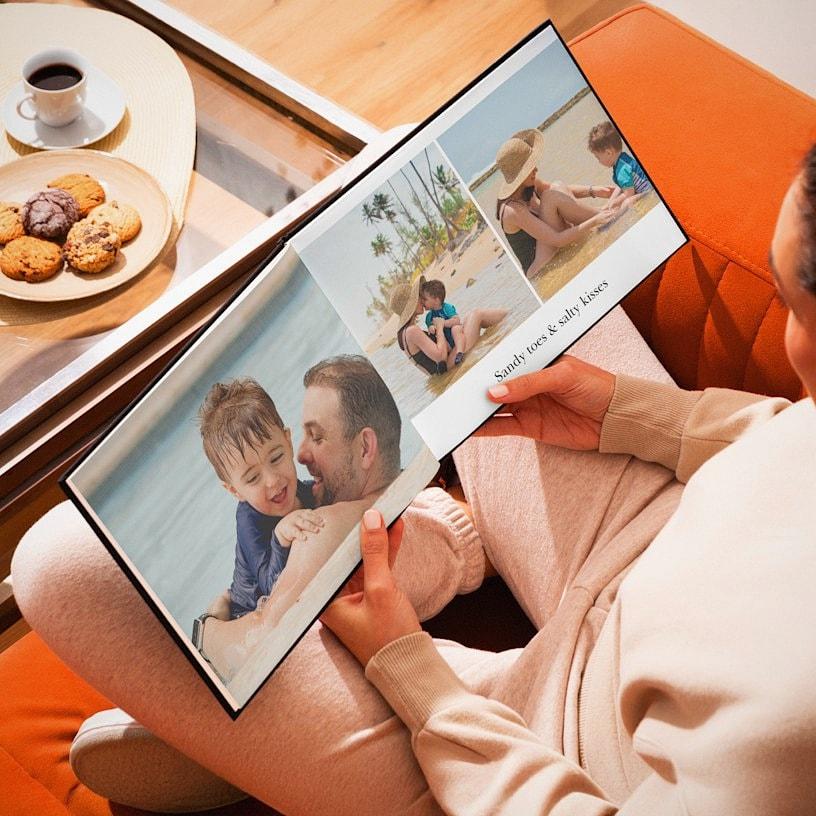
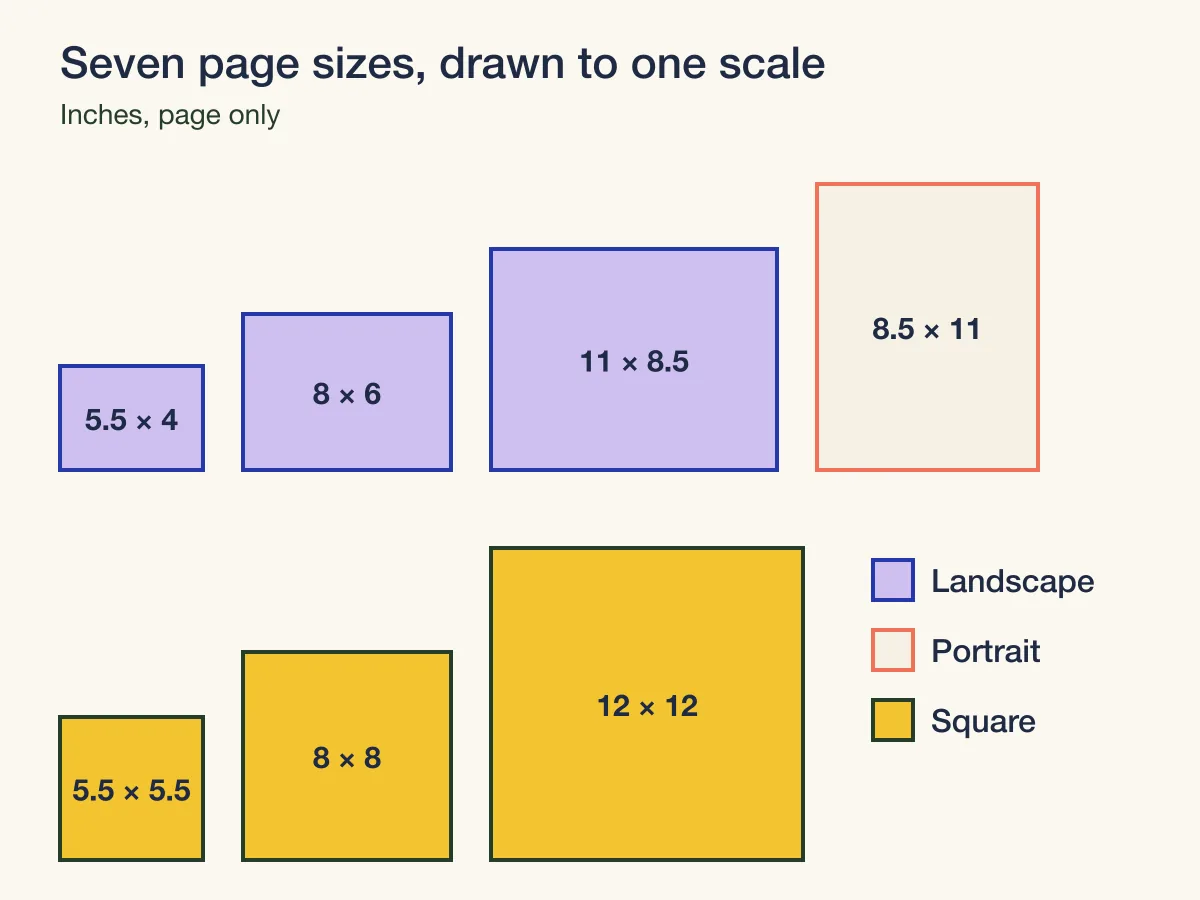
Our photo books come in seven sizes across three shapes: landscape, portrait and square. Every one is a hardcover with 24 to 120 full color pages, printed on Standard Matte or Standard Glossy paper, with a linen cover in black or silver or a printed photo cover. You can order from one book up to 50.
| Size | Page | Shape | Pixels per page at 300 ppi | Layflat option |
|---|---|---|---|---|
| Small Landscape | 5.5 × 4 in | 11:8 | 1650 × 1200 | No |
| Medium Landscape | 8 × 6 in | 4:3 | 2400 × 1800 | No |
| Large Landscape | 11 × 8.5 in | Letter page, turned sideways | 3300 × 2550 | Yes |
| Large Portrait | 8.5 × 11 in | Letter page, upright | 2550 × 3300 | Yes |
| Medium Square | 5.5 × 5.5 in | 1:1 | 1650 × 1650 | No |
| Large Square | 8 × 8 in | 1:1 | 2400 × 2400 | Yes |
| XL Square | 12 × 12 in | 1:1 | 3600 × 3600 | Yes |
The pixel column is the page size multiplied by 300 pixels per inch, the resolution the product page asks for. The Large Square is the one size with a file setup on record: 0.118 inch of bleed on every edge, so a full page file is 8.268 × 8.268 inches, or 2481 × 2481 pixels. The other sizes have no page template on record, so keep faces and words well in from every edge; our team checks the placement against the real page size before anything prints.
Match the book to the shape of your photos
Divide a photo's width by its height and you have its shape. A photo of 4,032 × 3,024 pixels is 4:3. One of 6,000 × 4,000 pixels is 3:2. A square crop is 1:1. Your camera or phone settings show which shape you shoot in, and checking a few of the photos you plan to use tells you which shape the book has to suit.
When the photo and the page share a shape, a photo printed to the edge of the page fills it with nothing cut off. When they differ, part of the photo is trimmed. This is how much of the long side is lost when a photo fills a whole page:
| Book | 4:3 photo | 3:2 photo | Square photo |
|---|---|---|---|
| Small Landscape, 5.5 × 4 | 3% | 8% | 27% |
| Medium Landscape, 8 × 6 | None | 11% | 25% |
| Large Landscape, 11 × 8.5 | 3% | 14% | 23% |
| Large Portrait, 8.5 × 11, upright photos | 3% | 14% | 23% |
| Any square book | 25% | 33% | None |
Three things stand out. The Medium Landscape is exactly 4:3, so 4:3 photos fill it untouched. Photos in the 3:2 shape lose the most on the landscape pages, about 14% of the width on the Large Landscape, so if most of yours are 3:2, the Small Landscape crops them least. And square books suit square crops: a 4:3 photo loses a quarter of its width on every square page.
You do not have to fill every page to the edge. A photo placed with a white margin around it keeps its whole shape on any page, and a book that mixes full page photos with framed ones usually reads better than one that fills every page. Our guide on how to crop a photo for poster printing covers choosing the crop when you do want the photo to fill the page.
Layflat: when one photo crosses two pages
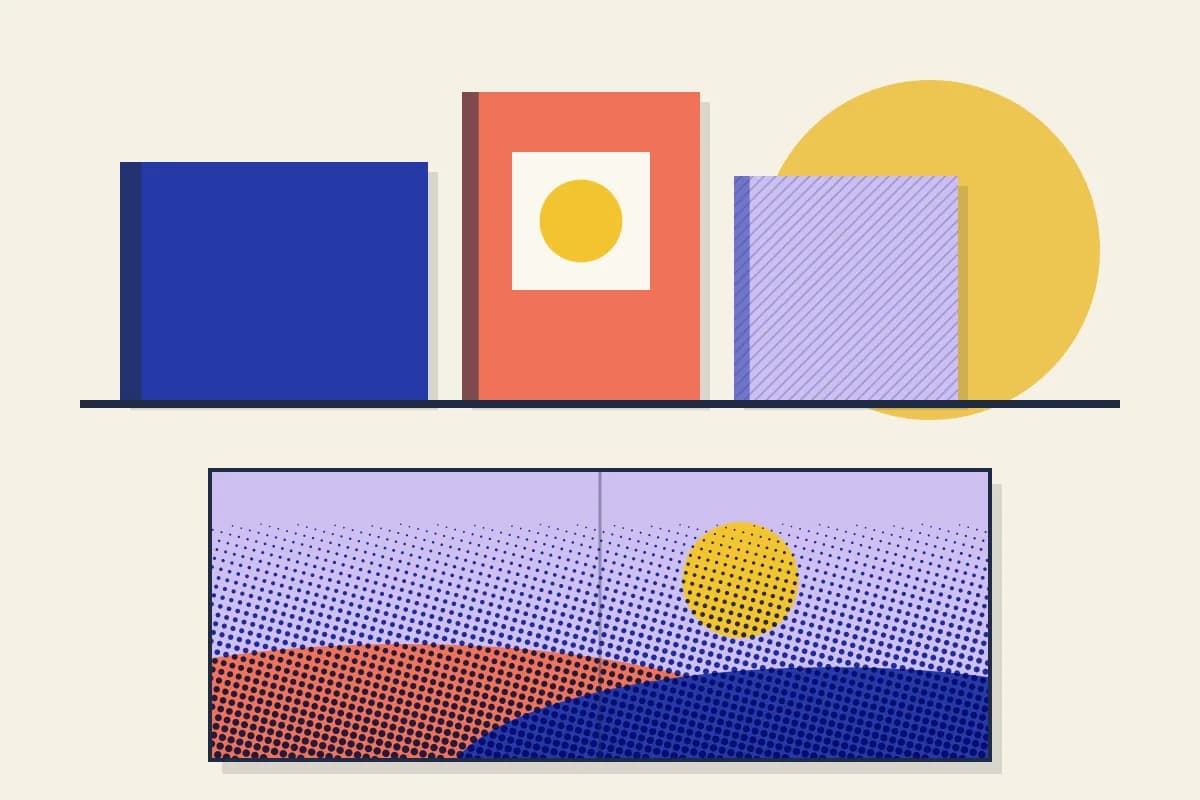
With layflat binding the pages open completely flat, with only a slight seam in the middle, so a single photo can run across both pages of a spread. It is offered on the L and XL sizes, which are the three Large books and the XL Square, and it uses extra thick pages.
| Book | Spread | Pixels at 300 ppi |
|---|---|---|
| Large Landscape | 22 × 8.5 in | 6600 × 2550 |
| Large Portrait | 17 × 11 in | 5100 × 3300 |
| Large Square | 16 × 8 in | 4800 × 2400 |
| XL Square | 24 × 12 in | 7200 × 3600 |
A spread is a wide shape. On the Large Landscape it is more than two and a half times as wide as it is tall, so an ordinary photo stretched across it loses most of its height. Panoramas, wide views and long group photos suit a spread; a single portrait does not.
The spread also needs pixels. A photo 4,032 pixels wide spread across 22 inches gives about 183 pixels per inch, well under the 300 we ask for, so save the spread for your largest files and for panoramas stitched from several shots. Even on a flat page the middle is a fold, so keep faces and words out of the center of a spread.
Page count: how many photos fit
Books run from 24 to 120 pages, in steps of two. Count your photos, decide how many go on a typical page, and divide. With 80 photos and an average of two a page you need 40 pages; at three a page, 27, which rounds up to 28. Leave a few pages for a title page, a short story or a group of favorites printed large.
Smaller books hold fewer photos a page comfortably. A Small Landscape page is 5.5 × 4 inches, a little smaller than a 4 × 6 photo print, so one photo a page usually suits it best. On the XL Square, four or six photos on a page still read well.
Paper and cover
Standard Matte is smooth and quiet, with a soft sheen. Standard Glossy is coated, so colors look richer. Neither is more correct. Glossy suits bright travel and landscape photos; matte suits a softer look and pages that carry a lot of writing, because it reflects less light from a lamp.
The cover is linen in black or silver, or a photo cover printed with your own picture. Linen gives the classic album look and suits a wedding or an anniversary. A photo cover makes the book easy to recognize on a shelf and suits a year book, a trip or a gift for a client or a team.
Which size for which book
| Book | Size to start with | Why |
|---|---|---|
| A small gift or thank you | Small Landscape or Medium Square | Small, quick to fill, easy to post with a card |
| A year of family or phone photos | Medium or Large Landscape | 4:3 photos fit with little or no crop |
| Wedding or anniversary album | Large Square or XL Square, layflat | Square pages balance couples and groups; spreads for the big moments |
| Portfolio, recipes or a school year | Large Portrait | A letter page shape, so text reads like a document |
| A book for the coffee table | XL Square or Large Landscape | Large pages, room for panoramas across a layflat spread |
If the book is a gift for clients or staff, our guide to client thank you gifts covers when a personal piece lands better than a branded one, and our guide to custom wrapping paper for business covers how much paper to order for a stack of boxed gifts.
Get the photos ready
Send JPG or PNG files, at 300 pixels per inch or more at the size each photo prints, and keep each file under 4 MB, as the product page asks. For a photo that fills a Large Landscape page, that means at least 3300 × 2550 pixels. Our print resolution checker tells you whether a file is sharp enough before you place it, and our guide to photo resolution for photo gifts explains why the same photo can be sharp on a mug and soft on a large page.
- Pick the book size first, then design for that shape.
- Check each photo's shape against the page and decide which ones fill the page and which sit with a margin.
- Keep faces and words well in from every edge and out of the middle of a spread.
- Use the largest file you have for any photo printed across a spread.
- Read every caption and date once more before you order.
Keep it looking new
A photo book lasts longer stored like any other photograph. The Library of Congress recommends a relatively dry, cool and stable place for photographs and advises against attics, basements and exterior walls, where temperature and humidity swing. A bookshelf in a living room, away from direct sun, does the job.
When to order
Standard delivery as soon as 6 business days, production included, and the product page and cart show the estimated day for your quantity. Count back from the day you will hand the book over, and leave time to choose photos, which usually takes longer than the printing. If you also print canvas prints from the same photos, our canvas print sizes guide matches each canvas to its photo shape.
Photo book checklist
- Find the shape your photos share: 4:3, 3:2 or square.
- Choose the book that matches it, or plan margins.
- Count photos and choose a page count from 24 to 120.
- Choose matte or glossy, and a linen or photo cover.
- Choose layflat on the L and XL sizes if a photo should cross the spread.
- Check every file for pixels at its printed size.
- Count back from the day you will give the book.
Frequently asked questions
What sizes do photo books come in?
Our photo books come in seven sizes: Small Landscape 5.5 × 4 in, Medium Landscape 8 × 6 in, Large Landscape 11 × 8.5 in, Large Portrait 8.5 × 11 in, and three squares at 5.5 × 5.5, 8 × 8 and 12 × 12 in. All are hardcover with 24 to 120 full color pages.
What photo book size fits phone photos?
Check the shape your phone saves. A 4:3 photo, such as 4,032 × 3,024 pixels, fills the 8 × 6 inch Medium Landscape page exactly and loses about 3% on the Small and Large Landscape pages. On a square page it loses a quarter of its width.
What is layflat binding in a photo book?
The pages open completely flat with only a slight seam in the middle, so one photo can run across both pages. It is offered on the L and XL sizes. A full Large Landscape spread is 22 × 8.5 inches, 6600 × 2550 pixels at 300 ppi.
How many pages should a photo book have?
Divide your photo count by the number you plan on a typical page. Eighty photos at two a page need 40 pages; at three a page, 28 after rounding up to an even number. Books run from 24 to 120 pages in steps of two.
Sources & specification notes
The references below support the relevant technical or product details in this guide. Examples and checklists are not claims of practical testing or universal production requirements. Confirm the current specifications for your chosen product before production.
- Library of Congress: Care, handling and storage of photographs
Recommends a relatively dry, cool and stable environment for photographs and advises against attics, basements and exterior walls.
- Voqado: Photo books specifications
Seven sizes, 24 to 120 full color pages, Standard Matte or Standard Glossy paper, linen or photo covers, hardcover binding with a layflat option on L and XL sizes, a Large Square file setup of 0.118 inch bleed, and 300 dpi file guidance.
Shop the products in this guide
Each price is the starting price for the quantity shown. Choose your options on the product page, or upload your design and start now.