HANDOUTS / VOQADO

Packaging insert cards

From $33.99· 50 cardsTax and delivery shown before payment.

  • Free artwork check
  • 30 day reprint or refund
  • Free US shipping over $60

The unboxing moment, upgraded. A little card with a big thank you.

What makes this a good choice?

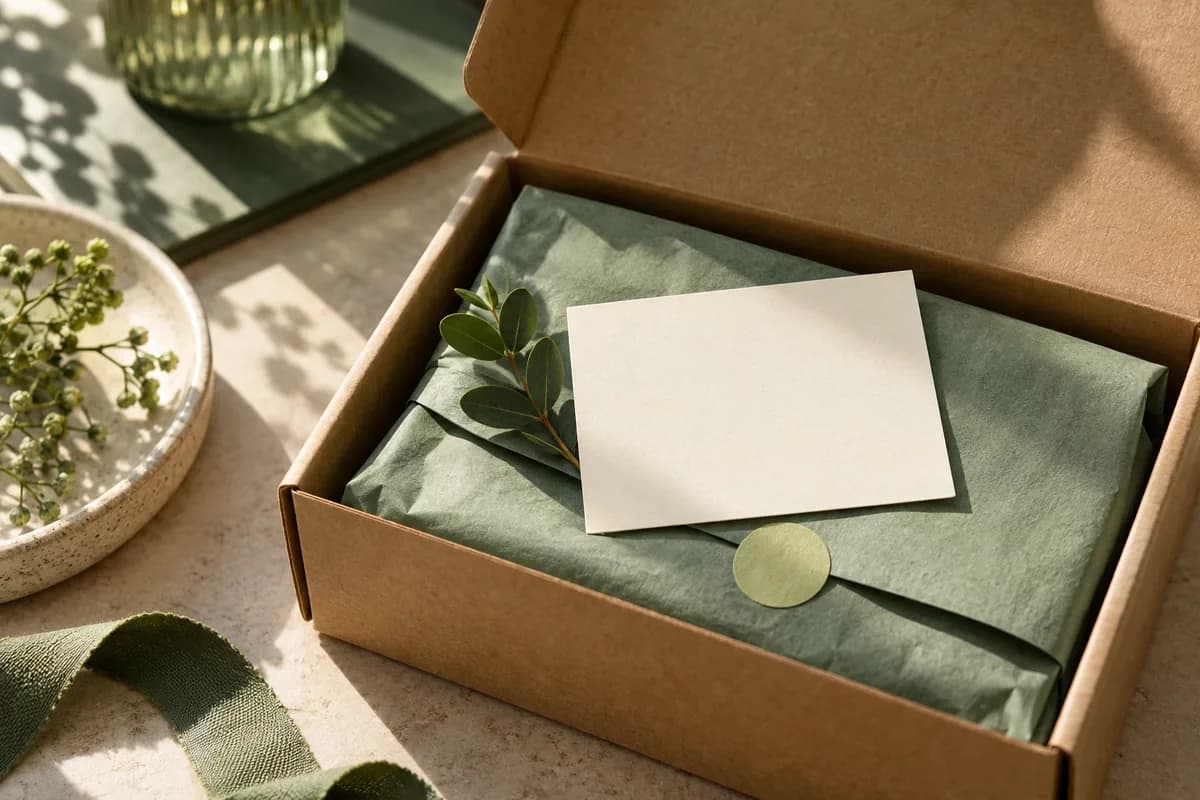
Every package is a touchpoint: make it count. Packaging inserts tuck into your shipments with thank yous, discount codes, care instructions, or your story. At 5" x 7" with 14 papers to choose from, they're a small addition that earns big loyalty.

Start with a template

Opening product configuration…

New around here? Start small.

Start with 50 cards for $33.99. We check your file for free and you approve a proof before we print.

Choose 50 cards
Product details, inspiration & artwork helpOpen this only when you need specifications or ideas.
A USEFUL DETAIL INSIDE EVERY PARCEL

Plan an insert customers can actually use

Custom packaging insert cards can carry a thank-you, product care note or clear support route. Choose the customer’s next question first, then fit the message and card to the packed order.

1. Choose one primary job

A thank-you card can acknowledge the purchase and give a readable support address. A care insert needs product-approved instructions. A reorder card needs a maintained destination. Keep essential information on the card; a QR code should help customers reach detail without hiding the basics.

Plan a useful business insert →

2. Test the fit in a packed parcel

The Studio planning canvas is 6 × 4 inches. Final size, stock and printed sides need confirmation with the quote. Cut a paper mockup and pack it with the product and protective material. Check visibility, bending, removal and whether it interferes with protection. Repeat for each package size.

Review the unboxing sequence →

3. Confirm the surface and artwork

If staff will write a name or note, test the intended pen on the actual stock and finish. Review both sides at the final size, confirm text orientation and keep important content inside the approved safe area. Ask for the production template before export.

Plan trim, bleed and safe margins →

A quantity example you can adapt

For an illustrative batch of 240 parcels with one insert each, plus 20 cards reserved for packing mistakes and samples, plan 260 cards. This is a planning total, not an available order quantity or demand forecast. If two product versions need different instructions, count each separately and confirm printing and bundling by version.

Make the brief specific

Record final dimensions, printed sides, quantity per version, paper preference, handwriting needs, pack-fit observations, artwork status and the requested delivery date. Ask whether version sorting or counted bundles are available and included. Include shipping and artwork preparation when comparing prices.

Download the insert card brief →Compare complete print quotes →

Two message examples

Thank-you: a short personal acknowledgement, your brand name and a stable support URL. Leave writing space only after testing the surface.

Product care: identify the correct item, include the approved first steps and point to maintained detailed instructions. Keep versions separate so the right card reaches the right parcel.

Create a QR code for a maintained page →

Prepare your configuration

Choose the product, add the quantity and attach the artwork. Confirm unresolved stock, sides, dimensions and delivery requirements before production. Adding a configuration to the cart does not submit or pay for an order.

Configure packaging insert cards →Design an insert in Studio →

Check the trim setup

Adobe describes bleed as artwork extending beyond the trim boundary. The selected printer’s template determines the allowance and export requirements; the calculator is a planning aid, not production approval.

Adobe: printer marks and bleed

COMPLETE YOUR PRINT KIT

Looks good together.

Useful extras for your business. Choose what fits.

Personalize previews & find a match
A coordinated collection starts here

Add your logo and colors to preview a coordinated look.

Create a Brand Kit ↗

Choose a saved design or start with your Brand Kit. Edits open in a separate copy.

Suggestions selected for this product. Matches use your words in this browser.
About previews & your artwork

Previews are not production proofs. Customizing creates a separate editable project; your original stays unchanged. Review both sides, bleed and image quality before printing. Product links open options without transferring artwork. Your logo, cart contents and typed request stay out of AI requests. Nothing is added to your cart automatically.

CHOOSE WELL. PRINT HAPPY.

The details for packaging insert cards.

Start with the format, compare the choices, then prepare the artwork for your exact order.

Know your format

  • 5" x 7"
  • 14 paper stocks, 3 thicknesses
  • Print one side or both
  • Standard or rounded corners
  • Tuck into shipments, boxes, and bags

Planning profile. Confirm the production template

Finished size
6 × 4 in
With bleed
6.25 × 4.25 in
Keep key content inside trim
0.125 in on each edge
Studio image target
300 pixels per inch at printed size

Uses the catalog planning size with 0.125 in bleed. This is a proposed flat-paper profile, not an approved product template. Confirm trim, bleed, safe area, and sides before production.

Choose the details

Catalog material choices
Confirm with quote
Catalog finish choices
Confirm with quote

Not every combination is available. Use the configurator to select quantity and options; payment is available only when that exact combination has an approved price.

Choose my options ↑

Which format fits your project?

Swipe or scroll sideways to see every column. Keyboard users can focus the table and use the arrow keys.

Compare the job each format is intended to do
FormatConsider it forCheck before ordering
Standard postcardsA short message or parcel insertChoose the finished size and whether both sides are printed.
FlyersMore room for a messageCheck readability at the final size.
BrochuresInformation arranged in panelsConfirm folds, panel order and the matching template.

Your artwork, in three clear steps

  1. Start at the final size. Use the selected product template. Extend background artwork through the bleed; keep names, logos and contact details inside the safe area.
  2. Use your originals. Use the highest-resolution original images. Enlarging a screenshot does not restore detail. Review both sides, spelling, crop and any QR code at actual size.
  3. Review before ordering. Attach the final file to the selected product. For supported Studio formats, export the print PDF and review its report. The Studio uses RGB; specialty finishes, folds and dielines require product-specific instructions.

Good to know.

What size are they?

5" x 7": a generous mini poster for every box.

What should I put on them?

Thank yous, discount codes, care instructions, your story, review requests.

One side or two?

Either one. Print one side for a quick note or both for the full story.

What paper options are there?

14 papers and 3 thicknesses: match them to your brand.

Can I use my own artwork?

Yes. Upload print ready PNG, JPEG or WebP artwork, or build an editable layout in Studio. Review size, bleed, safe area and both sides before ordering.

What does the price include?

The displayed item subtotal covers the selected quantity and options. Tax and delivery are calculated during secure checkout before you pay.

Can I finish the artwork later?

Yes. Add the product to your cart now and attach final artwork later from your saved order.

PAIRS WELL WITH

Complete the set.

Pieces that pair well with this one.

Help us improve Voqado with analytics? Details