What is a postcard bleed template?
A bleed template is a guide file with three boundaries drawn on it. The outer line is the bleed edge, where your background artwork must reach. The middle line is the trim, the finished size of the card after cutting. The inner line is the safe area, where everything that must be read has to sit. Postcards are printed several at a time on large sheets and then cut in stacks, and the blade can land a hair to either side of the intended line. Bleed makes sure the cut always falls on printed color, and the safe area makes sure it never clips a word.
If the idea is new to you, the primer on what bleed is covers the principle for every product. The numbers below are specific to postcards.
How much bleed does a postcard need?
The U.S. Government Publishing Office tells designers to allow 1/8 inch minimum for any bleed as a general rule, and 0.125 inch is the figure most postcard templates use. The standard 4 x 6 postcard profile in Voqado Studio uses exactly that: 0.125 inch of bleed and a 0.125 inch safe inset, for a 6.25 x 4.25 inch file in landscape orientation. Other sizes use the same allowance as a planning default, and the confirmed production template for your chosen size, paper and corners governs the final job.
Rounded corners and die cut shapes change the geometry. The cut path is no longer a straight line, so keep content well away from the corners and use the template for that shape.
What size should a postcard file be with bleed?
Full width equals finished width plus twice the bleed, and full height equals finished height plus twice the bleed. The table applies 0.125 inch bleed and a 0.125 inch safe inset to eight common postcard sizes, with pixel dimensions at 300 pixels per inch for photographic backgrounds.
| Finished size | File size with bleed | Safe area | Pixels at 300 ppi |
|---|---|---|---|
| 4 x 4 in | 4.25 x 4.25 in | 3.75 x 3.75 in | 1275 x 1275 |
| 4 x 6 in | 4.25 x 6.25 in | 3.75 x 5.75 in | 1275 x 1875 |
| 4.2 x 5.5 in | 4.45 x 5.75 in | 3.95 x 5.25 in | 1335 x 1725 |
| 5 x 7 in | 5.25 x 7.25 in | 4.75 x 6.75 in | 1575 x 2175 |
| 5.5 x 8.5 in | 5.75 x 8.75 in | 5.25 x 8.25 in | 1725 x 2625 |
| 6 x 6 in | 6.25 x 6.25 in | 5.75 x 5.75 in | 1875 x 1875 |
| 6 x 9 in | 6.25 x 9.25 in | 5.75 x 8.75 in | 1875 x 2775 |
| 6 x 11 in | 6.25 x 11.25 in | 5.75 x 10.75 in | 1875 x 3375 |
For a size that is not listed, or a printer that asks for a different allowance, the bleed and safe area calculator does the same arithmetic and shows the result in inches and pixels.
Where is the safe area on a postcard?
The safe area is measured inward from the trim, not from the bleed edge. Headlines, body copy, prices, phone numbers, logos and QR codes all belong inside it. Background color, photos and decorative shapes can run from the safe area out through the bleed. Avoid a thin border that runs close to the trim; any small variation in cutting makes one side look wider than the other. If you want a frame, make it at least as wide as the safe inset, or drop it and let the background run to the edge.
How do you protect the address and barcode areas?
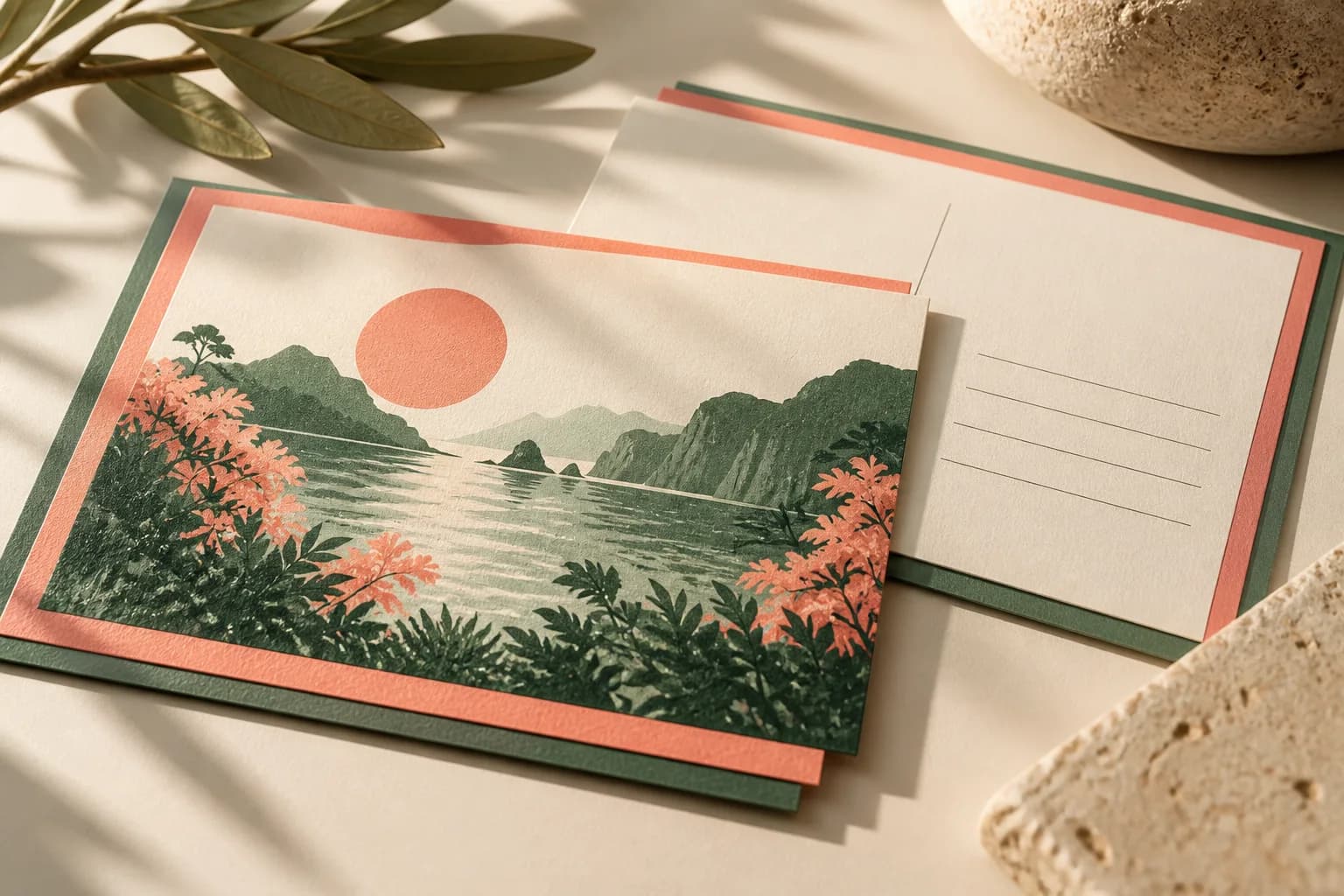
The back of a mailed postcard has zones defined by USPS, not by the printer. The barcode clear zone is a rectangle in the lower right corner of the address side, 4.75 inches from the right edge and 0.625 inch from the bottom. Keep it free of text, artwork and dark or busy backgrounds, because mail processing equipment prints a barcode there. The delivery address belongs above that zone, in the read area that starts 0.5 inch from the left and right edges and extends up to 2.75 inches from the bottom, set in type of at least 8 points. The postcard address layout guide shows these zones on a 4 x 6 card. Your bleed can still run behind the address area as long as the color is light enough for the address to read clearly.
How do you set up bleed in a design file?
- Set the document to the finished size and add 0.125 inch of bleed on all four sides in the document settings.
- Place guides at the trim and at the safe inset, 0.125 inch inside the trim.
- Extend every background color and edge to edge photo to the bleed edge.
- Keep all text, logos and codes inside the safe area guides.
- Build the address side with the barcode clear zone and address area marked.
- Hide or delete template guide layers before export so they do not print.
- Export a PDF that includes the bleed, with crop marks only if the printer asks for them.
If you would rather not build the template yourself, the free postcard maker starts from the correct geometry and lets you continue into Studio.
How do you check the exported PDF?
Open the exported file and confirm the page size equals the finished size plus bleed, for example 4.25 x 6.25 inches for a 4 x 6 card. In a PDF built to the PDF/X family of standards, the TrimBox marks the finished size and the BleedBox must sit outside it, so a preflight tool can show whether the two boxes are correct. Zoom in on all four edges of both sides and look for white slivers where a background stops short. Check that the front and back are in the right order and orientation, and that no guide layer or template label has been exported with the art.
What are the most common postcard bleed mistakes?
The most frequent problem is a file built at the finished size with no bleed at all, which forces the printer to enlarge the art or leave white edges. The second is a file with bleed added as blank white space rather than extended artwork. Others include text placed right at the trim, a border that exposes uneven cutting, an address block that crosses the barcode clear zone, and a template layer exported by mistake. Every one of them is visible on a careful review of the exported PDF, and each is cheaper to fix before approval than after printing. When the file is ready, order a standard postcard proof and review both sides at actual size.
Frequently asked questions
What size should a 4 x 6 postcard file be with bleed?
With the common 0.125 inch bleed on each side, a 4 x 6 postcard file measures 4.25 x 6.25 inches, or 1275 x 1875 pixels at 300 pixels per inch. Keep text and logos inside a safe area of 3.75 x 5.75 inches. Confirm the allowance with the template for your exact size, paper and corner style before exporting.
How much bleed does a postcard need?
Most postcard templates use 0.125 inch of bleed on every side, which matches the U.S. Government Publishing Office guidance to allow 1/8 inch minimum for any bleed. Some printers or shapes use a different figure, so treat 0.125 inch as the planning default and follow the confirmed template for the product you order.
What is the difference between bleed and safe area on a postcard?
Bleed is background artwork that extends past the trim so the cut never shows a white edge. The safe area is an inset inside the trim where all text, logos and codes must sit so the cut never clips them. Bleed sits outside the finished card, while the safe area sits inside it.
Can the bleed run behind the address on a postcard?
Yes, as long as the background under the address is light and plain enough for the address to read clearly. Keep the USPS barcode clear zone, a rectangle 4.75 inches from the right edge and 0.625 inch from the bottom of the address side, free of text, artwork and dark or busy backgrounds.
Sources & specification notes
The references below support the relevant technical or product details in this guide. Examples and checklists are not claims of practical testing or universal supplier requirements. Confirm the current specifications for your chosen product before production.
- U.S. Government Publishing Office: GPO Publishing Guidelines ↗
Allow 1/8 inch minimum for any bleed; proofs imaged face and back and trimmed to finished size; 300 pixels per inch at a 1 to 1 output ratio.
- USPS DMM 202: elements on the face of a mailpiece ↗
Barcode clear zone 4.75 inches from the right edge and 0.625 inch from the bottom; OCR read area; addresses in at least 8 point type.
- Library of Congress: PDF/X format family (ISO 15930) ↗
PDF/X requires embedded fonts, a defined TrimBox, a BleedBox outside the trim when bleed is used, and an output intent.