Where does the address go on a postcard?
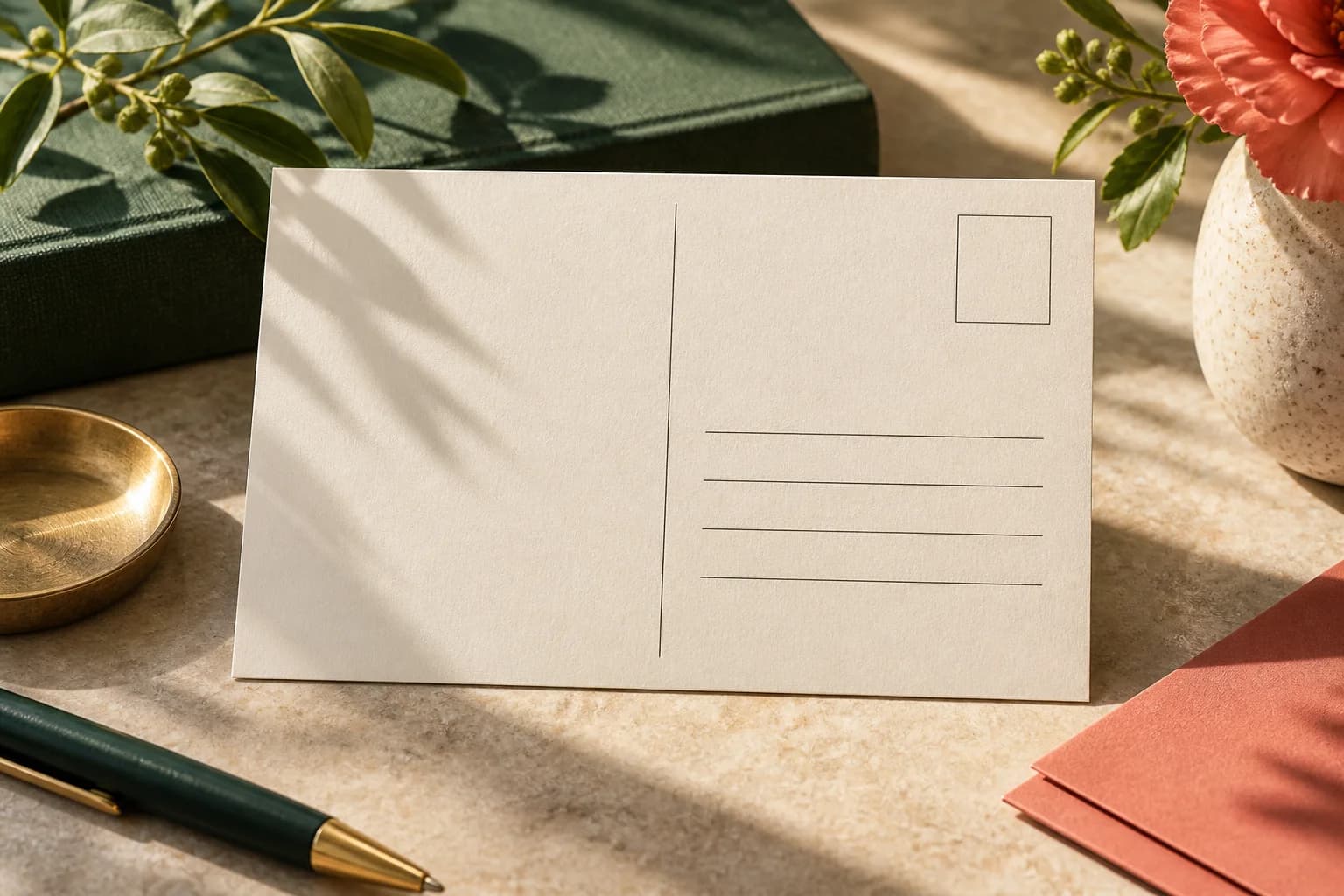
On a horizontal postcard, the back is usually divided into a message area on the left and a mailing area on the right. USPS defines the measurements that matter for automated processing. The table summarizes the zones for a letter size card such as a 4 x 6 inch postcard.
| Zone | Position | Measurement or rule |
|---|---|---|
| Address read area | Across the lower part of the card | 1/2 inch from left and right edges, 5/8 to 2.75 inches from the bottom |
| Barcode clear zone | Lower right corner | 4.75 inches from the right edge, bottom 5/8 inch |
| Postage | Upper right corner by convention | Same side as the delivery address |
| Return address | Upper left of the mailing area | Optional on many cards; ask your provider |
| Message area | Left side of the back | Keep clear of the mailing zones |
USPS guidance is direct on one point: always put the address and the postage on the same side of the mailpiece.
How should the address block be formatted?
USPS lists the address lines in this order: name or attention line, company, delivery address, then city, state and ZIP Code. Publication 28 says uppercase letters are preferred on all lines, lowercase is acceptable when it meets readability guidelines, and every line should share a uniform left margin in block style. Use a plain, sturdy font of at least 10 points in dark ink on a light background, and leave room for the longest record in your list, including apartment or suite numbers.
What size must a mailed postcard be?
A single card mailed with a stamp qualifies for the First Class Mail postcard price when it is at least 3.5 x 5 inches, no more than 4.25 x 6 inches and between 0.007 and 0.016 inch thick. In presorted or automation First Class mailings, the DMM allows card prices for postcards up to 6 x 9 inches, with a minimum thickness of 0.009 inch once a card is larger than 4.25 x 6. The DMM also requires an aspect ratio, length divided by height, between 1.3 and 2.5. Cards outside these limits can still mail but pay letter or flat postage. Our guide to postcard sizes for mailing compares common formats side by side.
What must stay out of the barcode clear zone?
Keep the lower right strip free of text, images, patterns, borders and dark background tints. USPS sprays a barcode into that area during processing, and anything printed there can make it hard to read. A light, solid background is safest behind the whole mailing area. If the design uses a full bleed photo on the back, stop it at the message area or fade it to a light tint before the address zones begin. Check the bleed on the back as carefully as the front; our bleed template guide shows the margins.
How does the layout change for Every Door Direct Mail?
EDDM pieces are addressed to Postal Customer rather than to named people and carry a postage indicia instead of a stamp. They must also meet USPS Marketing Mail flat standards, which changes the size and the placement rules. Direct mail postcards are designed for this: the postage and address box is added to your design, so keep that area clear in the artwork and confirm the ZIP Code targeting before approving.
How do you design the message side of the back?
Use the left side for a short supporting message, the business name, a response action and perhaps a small image. Some recipients see the back first, so repeat the offer and the action there in a compact form. If people will write on the card, choose a stock suited to pen and see our advice on the writing surface. Do not let copy creep into the mailing area just because a line runs long; shorten it instead.
A thin vertical rule or a change in background tint can separate the message area from the mailing area and help the carrier and the reader see the division at a glance. Keep that divider outside the address read area. On a vertical design, remember that the address side is still read horizontally, so the back may need to be rotated relative to the front; confirm the orientation in the proof.
How do you check variable addresses before printing?
For personalized mailings, merge the data into the layout and review a sample of records, not just the first one. Include the longest names, company names and addresses with unit numbers. Confirm that no line overlaps the barcode clear zone or runs outside the read area, and that special characters print correctly. Handle the list securely and let the mail provider run its normal address checks. If the addresses will be printed by a mailing service rather than in the artwork, leave the whole mailing area blank in your file and send the service the list separately, in the format it requests.
Address side checklist
- Address and postage on the same side of the card.
- Address inside the read area, 1/2 inch from the side edges and 5/8 to 2.75 inches from the bottom.
- The lower right barcode strip, 4.75 x 5/8 inch, left completely clear.
- Address lines in USPS order with a uniform left margin.
- A light, plain background behind the whole mailing area.
- A merged proof reviewed with the longest real records.
Where should you start?
Start from the template for your size, mark the mailing zones first, and place the message around them. Review the finished back with our postcard proof checklist, then print on standard postcards and confirm final placement with your mail provider.
Frequently asked questions
Where do you write the address on a postcard?
Write the delivery address on the right side of the back, within the USPS read area: at least 1/2 inch from the left and right edges and between 5/8 inch and 2.75 inches above the bottom edge. Place postage in the upper right corner on the same side. Keep the lower right strip clear so USPS can print its barcode during processing.
What is the barcode clear zone on a postcard?
The barcode clear zone is a rectangle in the lower right corner of the address side, measuring 4.75 inches from the right edge and 5/8 inch up from the bottom. USPS prints a barcode there during processing. Keep it free of text, images, borders and dark background colors so the barcode can be applied and read reliably.
Does the address go on the left or right side of a postcard?
The right side. On a divided postcard back, the left side holds the message and the right side holds the delivery address and postage. USPS measures the address read area and barcode clear zone from the right and bottom edges, so artwork and text on the right side should be kept light and simple so the mail can be processed automatically.
Should a postcard address be in all capital letters?
USPS Publication 28 says uppercase letters are preferred on all lines of the address block, but lowercase in various type styles is acceptable when it meets USPS readability guidelines. Whichever you choose, use a clear, plain font in dark ink, keep a uniform left margin and follow the standard line order of name, company, street address and city, state and ZIP Code.
Sources & specification notes
The references below support the relevant technical or product details in this guide. Examples and checklists are not claims of practical testing or universal supplier requirements. Confirm the current specifications for your chosen product before production.
- USPS Domestic Mail Manual 202: Elements on the Face of a Mailpiece ↗
Defines the OCR read area and the barcode clear zone measurements.
- USPS Domestic Mail Manual 201: Physical Standards ↗
Card price limits: 4.25 x 6 inches for stamped cards, up to 6 x 9 inches for commercial postcards, thickness and aspect ratio.
- USPS Publication 28: Postal Addressing Standards, section 212 ↗
Uppercase preference and block style address formatting.
- USPS Postal Explorer: Business Mail 101, delivery address ↗
Address line order, at least 10 point type, and placing the address and postage on the same side.