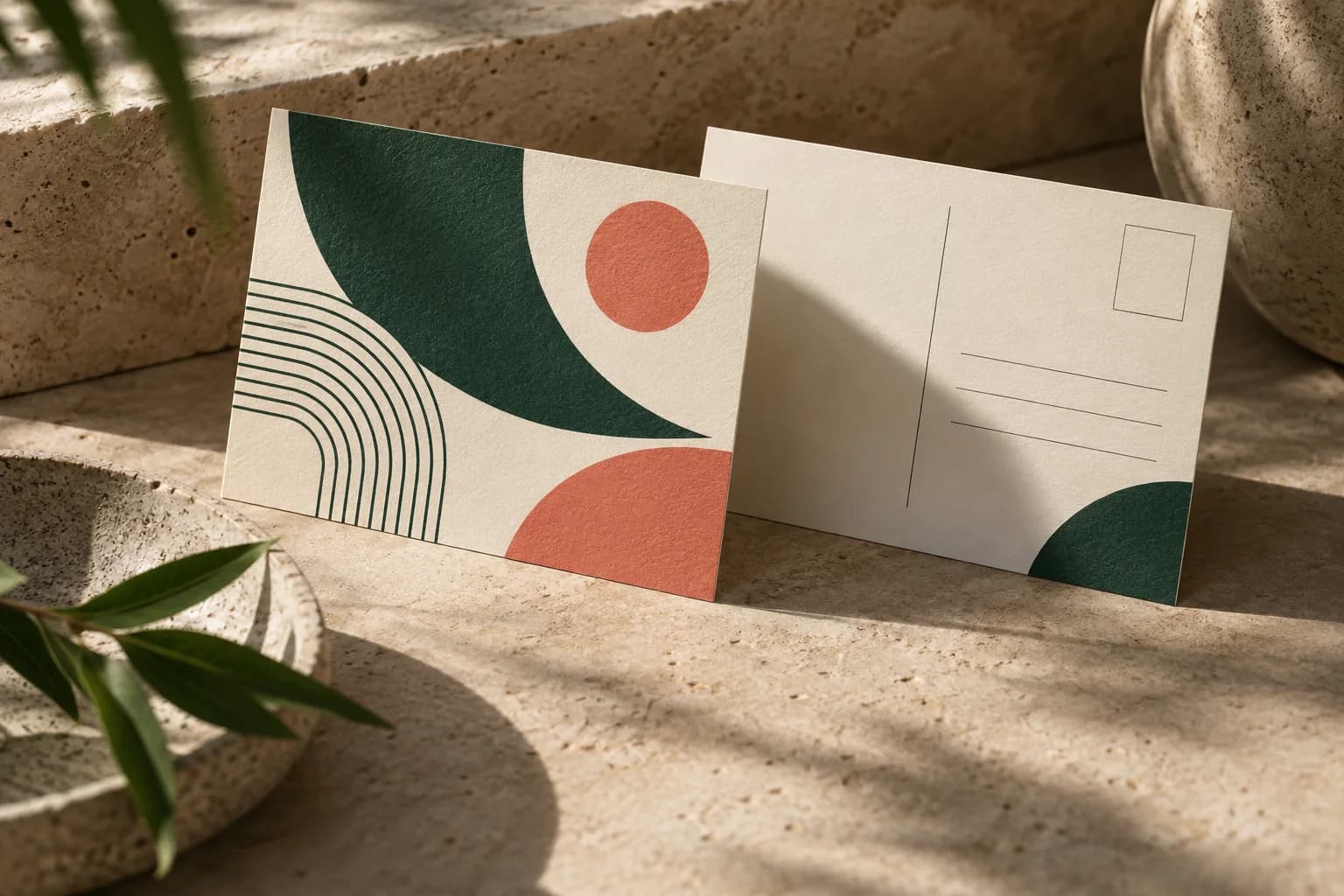
What does approving a postcard proof mean?
Approval is the handoff from design to production. Once you approve, the printer prints the file as shown, so anything wrong in the proof, from a typo to a blurry photo, is printed too. At Voqado, an order that arrives damaged, misprinted or materially different from the proof you approved is reprinted or refunded when you report it within 30 days of delivery, and you keep the original cards. The policy is measured against the proof you approved, so a typo or low resolution image that is already in the proof prints as shown. That is why the proof deserves a slow, careful read.
The U.S. Government Publishing Office asks for proofs that are imaged face and back and trimmed and folded to the finished size of the product. That is a useful model for any postcard: review the two sides together, at actual size, as the recipient will hold them.
Which way should the back of a postcard flip?
Postcards turn in one of two ways. With a landscape front and a landscape back, the card usually flips on its long edge, like turning a page in a book, so both sides read the right way up. With a landscape front and a portrait back, or the reverse, the card turns on its short edge, and the direction must be stated clearly. Instructions such as "flip normally" mean different things to different people.
The reliable method is a paper mockup. Print both sides at 100 percent, trim them, glue them back to back and turn the card the way a recipient would. If the back appears upside down, rotate that page in the file before approving.
How do you check page order in a double sided PDF?
In a single PDF, page 1 is normally the front and page 2 is the back. Confirm that order matches what the printer expects, and that both pages share the same page size including bleed. If you upload separate files, name them clearly as front and back. Check that no extra pages, blank pages or template pages are included. A two sided proof with the sides swapped will mail with the address on the wrong face.
What should you check on the front of a postcard proof?
Read the headline, offer and dates aloud. Check that the brand name, logo and colors are correct and that no text or logo sits outside the safe area. Look closely at photos at 100 percent zoom for pixelation or unexpected cropping. If the front carries a QR code, scan it from the proof with two different phones and make sure it opens the promised page. Confirm that the offer on the front matches the terms and dates on the back; a front that says "this weekend" and a back with a different end date will confuse customers regardless of print quality. The guide to postcard offer copy covers how to phrase dates and terms clearly.
What should you check on the address side?
On a mailed card, the back is a working document. USPS reserves a barcode clear zone in the lower right corner, 4.75 inches from the right edge and 0.625 inch from the bottom, which must stay free of text and artwork. The delivery address belongs in the read area above it, in type of at least 8 points. Check the return address, the postage area or permit imprint, and any legal lines. Our address layout guide shows the zones on a 4 x 6 card.
| Check | Front | Back |
|---|---|---|
| Orientation | Reads upright | Reads upright after the intended flip |
| Safe area | Headline, logo, offer inside | Copy, return address, codes inside |
| Bleed | Background reaches the bleed edge | Background reaches the bleed edge |
| Content | Offer, dates, brand | Terms, contact details, legal lines |
| Links and codes | QR code scans at actual size | Typed web address is correct |
| Mailing | Not applicable | Barcode clear zone and address area clear |
Why make a paper mockup of a postcard proof?
A screen shows each side on its own, at whatever zoom you choose. A mockup shows the card as an object. It reveals flip direction, how small type reads at arm's length, whether a code is large enough to scan, and whether the two sides still tell one story. Print at 100 percent scale, disable any fit to page option, and cut on the trim line. Do not judge final color from a screen or a home printer: screens emit light while ink reflects it, and a home printer uses different ink and paper. If exact color matters, request a physical proof from the printer.
Who should sign off on a postcard proof?
At least two people should read it: the designer and someone who did not work on it. For a promotional card, add the person responsible for the offer so prices, dates and terms are checked against the source. Save the approved proof, the final files and the approval date together, so a reorder uses the same version. If either side changes after approval, review both sides again, because an edit to one can break the agreement between them.
What belongs on a postcard proof checklist?
- Front and back in the correct page order and at the same page size.
- Flip direction tested with a trimmed paper mockup.
- All text, logos and codes inside the safe area on both sides.
- Backgrounds extended to the bleed edge, with no white slivers.
- Offer, dates and terms consistent between the front and back.
- QR code scanned from the proof and the typed web address checked.
- Barcode clear zone and address area free of artwork.
- A second reader and the offer owner have signed off.
Before approval, it also helps to confirm the geometry against the postcard bleed template for your size, and to review the card design for double sided postcards in the configurator. If you need a code for the back, the QR code generator creates a static code you can place and test.
Frequently asked questions
How do I check a double sided postcard proof?
Print both sides at 100 percent, trim them and glue them back to back. Turn the card as a recipient would and confirm the back reads upright. Then check page order, safe area, bleed, offer and dates on both sides, scan any QR code and confirm the address side keeps the USPS barcode clear zone empty.
Which side is the front of a postcard in a PDF?
In a two page PDF, page 1 is normally the front and page 2 the back, which carries the address and postage. Confirm that order with your printer, make both pages the same size including bleed, and remove any blank or template pages so the address does not end up on the wrong face.
What happens if I approve a postcard proof with a mistake?
The printer reproduces the approved proof as shown, so a typo or low resolution image you approved will be printed. Orders that arrive damaged, misprinted or materially different from the approved proof are reprinted or refunded when reported within 30 days of delivery, but the check is made against the approved proof, so an error already in the proof prints as shown.
Should a postcard back flip on the long or short edge?
When both sides share the same orientation, postcards usually flip on the long edge so both read upright. When one side is landscape and the other portrait, the card turns on the short edge and the back must be rotated to match. A trimmed paper mockup is the quickest way to confirm the direction before you approve.
Sources & specification notes
The references below support the relevant technical or product details in this guide. Examples and checklists are not claims of practical testing or universal supplier requirements. Confirm the current specifications for your chosen product before production.
- U.S. Government Publishing Office: GPO Publishing Guidelines ↗
Allow 1/8 inch minimum for any bleed; proofs imaged face and back and trimmed to finished size; 300 pixels per inch at a 1 to 1 output ratio.
- USPS DMM 202: elements on the face of a mailpiece ↗
Barcode clear zone 4.75 inches from the right edge and 0.625 inch from the bottom; OCR read area; addresses in at least 8 point type.
- Voqado: shipping and returns ↗
Reprint or refund within 30 days when an order arrives damaged, misprinted or materially different from the approved proof.